
Dose day, and the record you’ll want later
Dose day comes around, and in two months you’ll want to know what you took and how the days after it went. Balance Point keeps the record in the same place as your weight, so the dose history and the trend can be read together.
Logging a treatment and its doses
Add a treatment once, for example a GLP-1 medication, and log doses against it from then on. Most doses repeat the one before, so the last dose can be logged again with a single tap. When the amount steps up, record the titration step; the history then shows when each increase began. A side-effect note can go in at the same moment, while the details are still fresh.
Doses on the weight chart
Each dose appears on the chart as a tick, and the stretch a treatment covers is shaded. Notes you add show up on the same chart. What those marks give you is timing: which week the amount went up, and where the trend headed in the weeks around it. Scrub across the chart to read any single day. Below it, the rate chart shows how fast the trend was moving, with its own uncertainty, so a shift in weekly rate after a titration step is something you can see on screen and bring to an appointment.
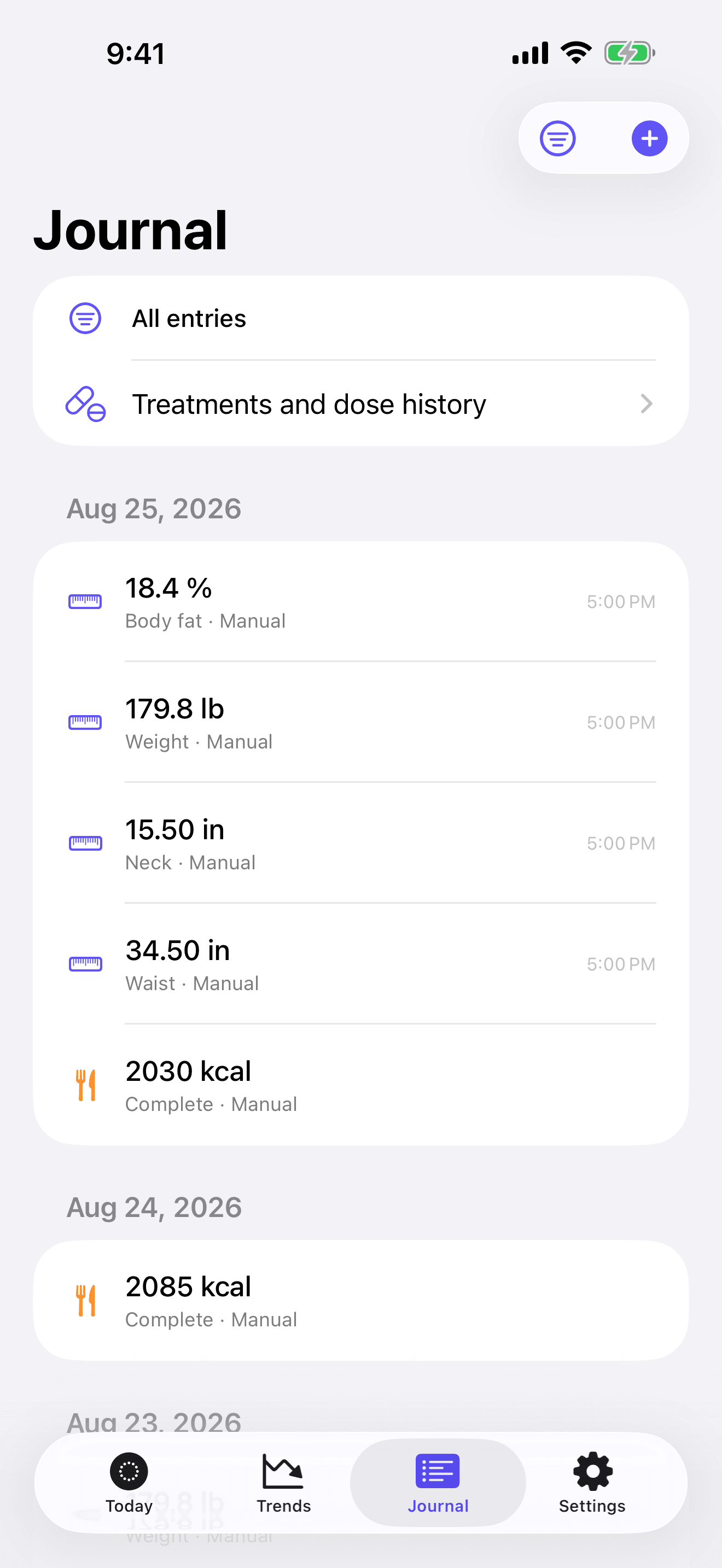
In the Journal, doses share one list with weigh-ins, notes, and intake, so a single scroll covers everything you logged that week, and the days on either side of a titration step read straight through in date order. If you also record what you eat, the energy estimate sits on the same timeline.
Keeping the history
Treatment records live on your device with the rest of your history; there’s no account, and no copy goes to a server. The full history, doses included, exports to a JSON archive that you can import again later, and an import previews counts and duplicates before anything changes. The guide on logging doses covers why a dose log beside the trend helps you and your prescriber read the record.