
Asking when you’ll reach the goal
Early in a campaign the scale is the only thing you watch. A few months later the question changes to when, and that’s where our old weight spreadsheets let us down: they produced one goal date that swung wildly from week to week. Balance Point answers the same question from your weigh-ins and shows the answer as a stretch of the calendar, wide or narrow depending on how much the record supports.
Built from weigh-ins and nothing else
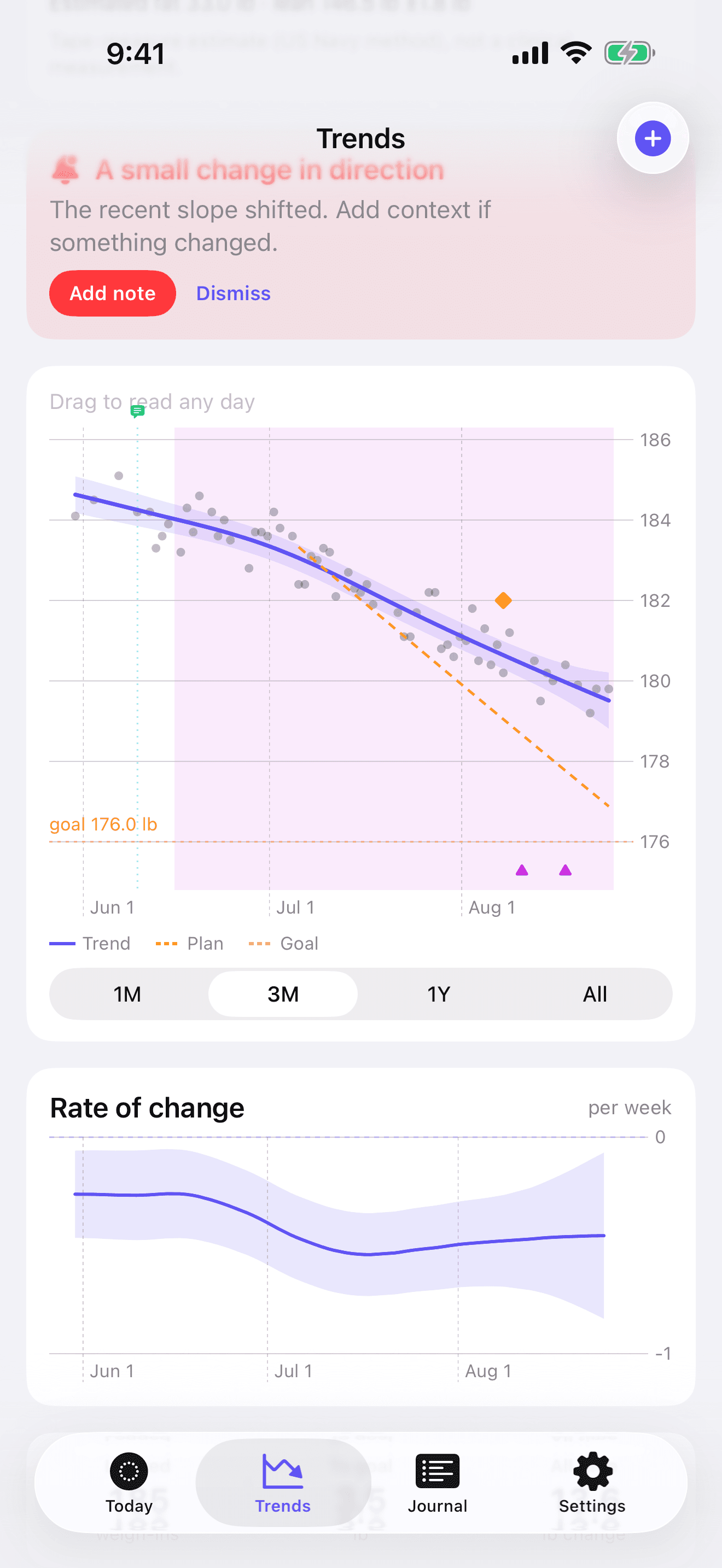
The forecast takes one number from your goal, its value, so it knows what it’s heading toward. The date you picked and your pace setting play no part. On the chart it’s the faded violet dashed line running ahead of the solid violet trend; both share a color because both come from your measurements. The plan and goal lines are orange, since neither consults the scale.
- Weigh-in
- Trend
- Range
- Plan
- Goal
- Forecast
How wide the range gets, and when it disappears
Every forecast date comes with its uncertainty attached. Frequent, regular weigh-ins pull the range in, while a handful of scattered ones across a month spread it out. If recent data can’t support any date, the forecast says there isn’t enough of it and leaves the date blank. Expect that in a campaign’s first weeks and after a long break, until fresh weigh-ins rebuild the picture.
When the trend flattens before the goal
Many trends slow down as a campaign goes on. A straight line can’t show that, because any line extended far enough crosses the goal sooner or later. Balance Point’s preferred model fits a curve and lets the data decide where it flattens, which can be above your goal. When it flattens there, the forecast reports that the trajectory “levels off above your goal” and gives no date.
That curve needs evidence first: 112 days of campaign span and 20 weigh-ins at minimum, plus a bend that actually shows up in the data. Until all of that is in place, the forecast uses a constant-rate model and puts a range around its answer.
Plan and forecast, both on screen
The plan marks the date you chose to arrive, and the forecast marks when your weigh-ins say you will. Balance Point shows both, each with its own name, because they answer different questions and will usually disagree. Neither one corrects the other. A forecast range that sits well after the plan’s date is a reason to look again at the pace you chose, and the goals page explains how pace is set.
For the reasoning behind ranges in general, the guide to reading a forecast range goes further.